



Many smartphone users are concerned about the impact of a Virtual Private Network (VPN) on their device’s battery life. This article will explore the various factors that contribute to VPN battery drain and offer solutions to mitigate the impact of a VPN on your phone battery.
Understanding VPN Battery Drain
Why Do VPNs Drain Your Battery?
The core reason why VPNs drain your battery stems from the continuous background processes involved in maintaining a secure VPN connection. When you use a VPN, your device is constantly encrypting and decrypting data, which requires significant processing power. This encryption and decryption process consumes more CPU cycles than regular internet usage, leading to higher battery consumption. Additionally, routing all your internet traffic through a VPN server adds overhead, as data packets need to travel further and undergo additional processing, contributing to the overall VPN battery drain. The constant activity of the VPN app, even when minimized, keeps your device’s components working harder, thus increasing battery use.
Factors Contributing to VPN Battery Drain
Several factors can significantly contribute to VPN battery drain. The level of encryption also impacts battery life; stronger encryption requires more computational power. Furthermore, the distance to the VPN server, the quality of your internet connection (whether Wi-Fi, 4G, or 5G), and continuous data transfer can all increase battery usage. Constantly connecting to a VPN server and maintaining an active connection for extended periods will undoubtedly affect battery life, as the VPN app works tirelessly in the background.
| VPN Protocol | Battery Impact |
| OpenVPN | More resource-intensive due to robust encryption, leading to faster battery drain. |
| WireGuard | Designed for efficiency, resulting in less battery drain compared to OpenVPN. |
Comparison of Battery Life with and without VPN
There is a noticeable difference in battery life when using a VPN compared to browsing without a VPN. Typically, devices experience extra battery drain when a VPN is active, especially if it’s connected to a VPN server for prolonged periods or running all day. The continuous encryption and decryption processes, coupled with constant data routing, mean that your phone battery will deplete more quickly. While the exact percentage points of battery drain can vary based on the device, VPN app, and usage patterns, it’s generally accepted that using a VPN will lead to higher battery consumption. To minimize VPN battery drain, users might consider features like split tunneling, which allows only specific app traffic to go through the VPN, thereby reducing overall battery impact.
What is VPN and How Does it Work?
Definition of VPN
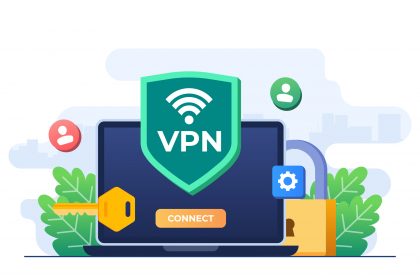
A VPN, or Virtual Private Network, establishes a secure and encrypted connection over a less secure network, such as the internet. When you use a VPN, your internet traffic is routed through a remote VPN server, masking your IP address and encrypting your data. This process enhances online privacy and security, creating a private network from a public internet connection. The primary goal of a VPN is to provide a safe tunnel for your data, protecting it from potential eavesdroppers and monitoring.
How VPNs Function
When you initiate a VPN connection, the VPN app on your device encrypts your internet traffic before sending it to a VPN server. This server then decrypts the data and forwards it to its final destination on the internet. All traffic between your device and the VPN server is encapsulated and encrypted, preventing third parties from viewing your online activities. Different VPN protocol choices influence the efficiency and security of this connection, affecting how much battery is consumed. This intricate routing and encryption contribute to the overall battery consumption.
Common VPN Uses
Users primarily use a VPN for enhanced security and privacy when browsing the internet, especially on public Wi-Fi networks. It helps bypass geo-restrictions, allowing access to content unavailable in certain regions. Many also use a VPN for secure remote access to corporate networks or to protect their data from internet service providers and government surveillance. The convenience and security benefits of using a VPN often outweigh concerns about its potential impact on battery life for many users, as it provides a crucial layer of protection.
How to Minimize VPN Battery Drain
Choosing the Right VPN Protocol
To significantly reduce VPN battery drain, the choice of VPN protocol is paramount. Selecting a more efficient protocol in your VPN app settings can drastically impact your device’s battery life, allowing you to use a VPN for longer durations without experiencing rapid battery drains. Always check if your VPN app offers options to switch protocols, as this can be a key factor in minimizing battery usage and reducing the impact of a VPN on your overall phone battery. This strategic selection helps in maintaining a secure connection while consuming less battery.
Optimizing VPN App Settings
Optimizing your VPN app settings is crucial for reducing VPN battery drain. Enabling features like split tunneling allows you to choose which apps use the VPN connection, meaning only specific app traffic goes through the encrypted tunnel, thereby using less battery. This prevents unnecessary encryption and decryption for all data, which typically leads to higher battery consumption. Additionally, adjusting settings related to automatic connection or auto-reconnect can also help, as constantly connecting to a VPN server can cause extra battery drain. Regularly reviewing and fine-tuning these settings within your VPN app can significantly improve your battery life and reduce how much battery a VPN actually uses.
Using Battery Saver Features
Leveraging your phone’s built-in battery saver features can effectively reduce VPN battery drain. Both Android and iOS devices offer modes that restrict background app activity, limit data usage, and reduce screen brightness, all of which contribute to saving battery power. When activated, these battery saver modes can automatically curtail some of the resource-intensive processes of the VPN app, helping to reduce the overall battery usage. While VPN drain will still occur, combining it with battery saver functionality can significantly extend your device’s battery life. This is particularly useful when you need to maintain a VPN connection for extended periods without access to a charger, minimizing the impact on battery life.