





The digital landscape is fraught with concerns over privacy and security, making tools like the Tor Browser increasingly relevant. This article aims to demystify the Tor Browser, exploring its functionalities, safety aspects, and common uses to provide a comprehensive overview for those navigating the complexities of online anonymity.
What is the Tor Browser?
The Tor Browser is a free, open-source web browser designed to enhance user privacy and anonymity online. It routes internet traffic through the Tor network, a global system of volunteer-operated servers, to obscure a user’s IP address and online activity from surveillance and tracking. Essentially, it allows users to browse the internet with a significant degree of anonymity, making it a crucial privacy tool for many individuals worldwide. The Tor Project is responsible for developing and maintaining this innovative software.
How the Tor Browser Works
When you use the Tor Browser, your web traffic is routed through at least three random relay servers, also known as nodes, within the Tor network. This process, known as onion routing, involves multiple layers of encryption. Your data is encrypted at your browser and then decrypted layer by layer as it passes through each node until it reaches the exit node, which then connects to the destination website. This multi-layered encryption and routing mechanism makes it incredibly difficult for anyone to track your online activity back to your original IP address, thus protecting your anonymity.
Key Features of the Tor Browser
The Tor Browser offers several key features that contribute to its robust privacy capabilities. It automatically encrypts your web traffic and routes it through the Tor network, preventing your internet service provider from seeing your online activity. This browser also enables access to the dark web, including onion sites, which are websites only accessible through the Tor network. Furthermore, Tor offers protection against fingerprinting and censorship, ensuring that users can browse freely even in restrictive environments.
Is the Tor Browser Safe?

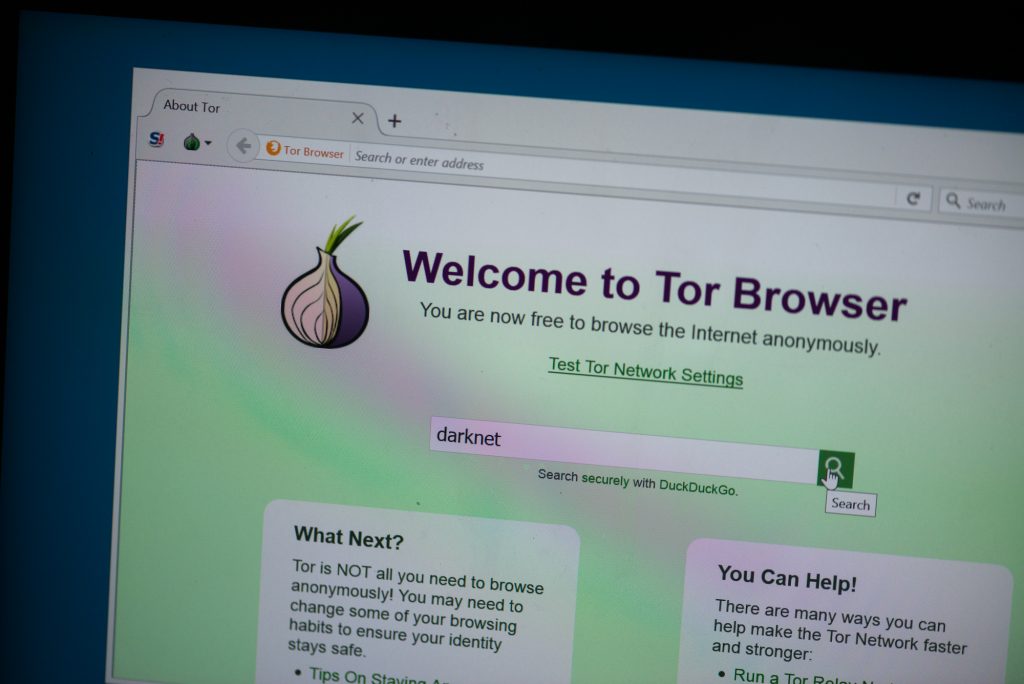
Privacy and Anonymity with Tor
The Tor Browser is renowned for its robust privacy and anonymity features. By routing your web traffic through a series of encrypted relay nodes within the Tor network, it becomes incredibly difficult for anyone to track your online activity back to your original IP address. This multi-layered encryption, known as onion routing, ensures that each node only knows the previous and next relay in the circuit, effectively obscuring the true source and destination of your connection. This design significantly protects your anonymity from surveillance.
Risks and Limitations of Using Tor
Despite its significant privacy benefits, using the Tor Browser is not without risks and limitations. One potential vulnerability lies with the exit node, which is the final server in the Tor network before your web traffic reaches its destination. If the exit node is compromised, it could potentially monitor unencrypted traffic, although most websites now use HTTPS encryption. There’s also the risk of encountering malware or illicit content, particularly when accessing onion sites on the dark web. Additionally, using Tor may attract unwanted attention from internet service providers or governmental agencies due to its association with anonymity, even though its use is legal in most jurisdictions.
Comparing Tor and VPNs
While both Tor and VPNs aim to enhance online privacy, they operate on fundamentally different principles and offer distinct levels of anonymity. A VPN typically routes your web traffic through a single server, encrypting your connection between your device and that server, which can protect your IP address from your internet service provider. However, the VPN provider itself can still see your online activity. In contrast, the Tor Browser routes your traffic through multiple relay nodes with multiple layers of encryption, offering a much higher degree of anonymity by making it extremely difficult to track your connection, especially when accessing the dark web.
Using the Tor Browser
Steps to Install the Tor Browser
To begin using the Tor Browser, the initial step involves downloading the application from the official Tor Project website. Ensure you download the correct version compatible with your operating system to prevent any compatibility issues. Once the download is complete, proceed with the installation process, which typically involves following on-screen prompts. After successful installation, launching the browser will automatically connect you to the Tor network, routing your web traffic through its system of relay nodes to protect your anonymity and online activity.
Best Practices for Using Tor
When utilizing the Tor Browser, adopting certain best practices can significantly enhance your privacy and anonymity. Always ensure your Tor Browser is updated to the latest version to benefit from security patches and improvements. Avoid installing additional browser add-ons or plugins, as they can potentially compromise your anonymity or allow tracking. Furthermore, be cautious about clicking suspicious links or downloading files from untrusted sources, even while using Tor, to prevent malware infections. Remember, the Tor Browser protects your web traffic, but your actions within the browser also dictate your overall security.
Common Use Cases
The Tor Browser serves various critical use cases, primarily centered around enhancing privacy and circumventing censorship. Journalists and whistleblowers often use Tor to communicate securely and publish sensitive information without fear of surveillance or reprisal. Activists in regions with strict internet censorship rely on Tor to access blocked websites and freely express their views. Additionally, individuals who prioritize their privacy use Tor for everyday browsing to protect their IP address and online activity from tracking by advertisers, internet service providers, and other entities, making it generally safe to use for these purposes.
What is the Dark Web?
The Dark Web constitutes a hidden part of the internet not indexed by standard search engines and is inaccessible through conventional web browsers. To navigate this obscure segment, individuals typically need to use the Tor Browser, which routes web traffic through the Tor network. This part of the internet is known for hosting various onion sites, which are websites with a “.onion” domain suffix, indicating that they are specifically designed to be accessed via the Tor network, thereby enhancing the anonymity of both visitors and site operators.
Accessing Dark Web Sites
To access the Dark Web and its numerous onion sites, the primary tool required is the Tor Browser. After you download and install the Tor Browser, it automatically connects to the Tor network, establishing a secure and anonymous pathway for your web traffic. This allows users to browse anonymously and visit websites that would otherwise be unreachable. The Tor Browser is specifically designed to facilitate this connection, ensuring that your IP address and online activity remain protected through its robust encryption and multi-layered routing process.
Legal and Ethical Considerations
The use of the Tor Browser to access the Dark Web raises significant legal and ethical considerations. While using Tor and accessing the Dark Web itself is not illegal in most jurisdictions, the anonymity it provides can facilitate illegal activities, including the trade of illicit goods or services. However, it also serves as a crucial tool for journalists, activists, and whistleblowers who need to protect their anonymity and communicate securely in oppressive regimes.
Surveillance and Security Concerns
Government Surveillance and Tor
Government agencies worldwide are keenly interested in monitoring online activity, and the anonymity offered by the Tor Browser presents a challenge to their surveillance efforts. While the Tor network is designed to protect your IP address and encrypt your web traffic, making it difficult to track, it is not entirely impervious. Agencies employ sophisticated techniques to analyze traffic patterns at the network’s entry and exit nodes, aiming to de-anonymize Tor users. Despite these efforts, the Tor Project continually works to enhance the network’s resilience against such surveillance, offering a strong privacy tool for activists and ordinary citizens alike.
Protection Against Surveillance
For Tor users concerned about surveillance, implementing additional protective measures is crucial. Beyond simply using Tor, users should avoid logging into personal accounts or engaging in activities that could reveal their identity while browsing. Using a VPN in conjunction with the Tor Browser can add another layer of encryption and obfuscation, though care must be taken to configure this setup correctly to maintain anonymity. Regularly updating the Tor Browser and exercising caution regarding browser add-ons and downloaded content are also vital steps to protect against various forms of tracking and malware.
Future of Tor and Privacy Technologies
The future of the Tor Browser and privacy technologies is a dynamic landscape, continuously evolving to combat new surveillance techniques and threats to online anonymity. Developers are constantly working on improving the Tor network’s speed, efficiency, and security features, exploring new onion routing protocols and better protection against fingerprinting. The broader field of privacy technology is also advancing, with innovations in decentralized networks and secure communication methods. These ongoing developments aim to ensure that individuals can continue to browse with a high degree of privacy and anonymity in an increasingly surveilled digital world.